
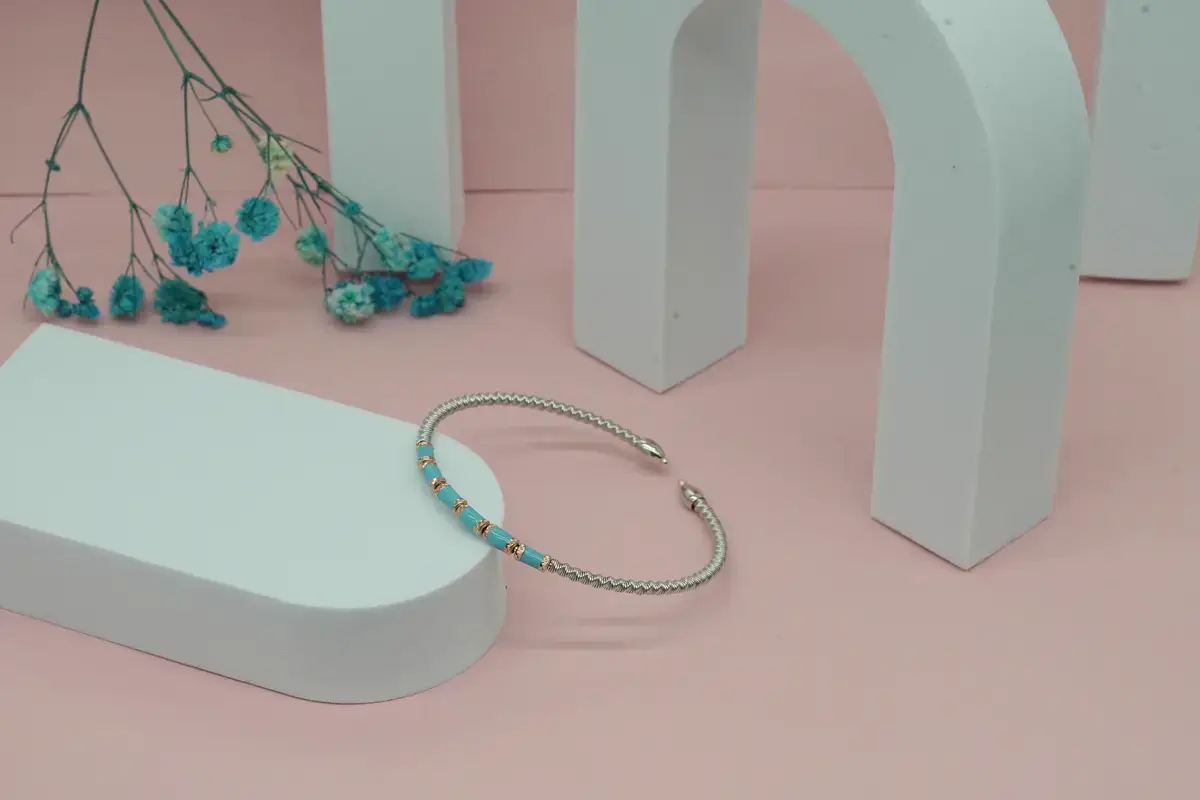
Now it is no longer necessary to hire a professional jewelry photographer to create high-quality product images. It is hard to depict the real quality of jewelry products in the images. The real quality is achieved when the photoshoot becomes too expensive, along with the expenses of a professional photo studio, equipment, and lighting setup. You can now solve all these problems and reduce the cost with AI-generated jewelry images, the best tools and prompts.
Not all the AI jewelry photo generators can give you the best quality. The material quality, texture, shine, and presentation matter the most. Here in this guide, you will know the AI tools that are best suited for jewelry items. You will also find the perfect and tested prompts to achieve the best results for the marketing of your products.
Why Most AI Tools Struggle With Jewelry Images
Think of an AI image tool like a student who learned from looking at millions of pictures. Most of these pictures are not jewelry pictures. So when you ask the tool to make a jewelry image, it does not really know what good jewelry looks like. It just guesses. And the guess is often wrong. Here are some common problems you will see.
- Incorrect settings: Jewelry has different styles of holding a gemstone in place. These are called settings. But most AI tools do not know the difference between them. So the tool makes the wrong style.
- Indistinguishable metals: Gold, silver, and platinum all look different in real life. But in many AI images, they all look the same. The tool cannot show the difference.
- Wrong gem refraction: A real diamond or gemstone catches light and sparkles. But many AI tools make gemstones look dull, flat, or like plastic. This is because the tool does not know how real gemstones look.
- Generic compositions: Without special jewelry training, the tool just makes a simple picture of a ring sitting on a flat surface. This is not very useful if you need a specific type of image.
The good news is that some tools are built specifically for jewelry. These tools know what good jewelry looks like. If you use the right AI jewelry photo generators, you can avoid all these problems. The next section explains the two types of tools you can choose from.
Two Types of AI Tools for Jewelry Images
Before you pick a tool, it is good to know that there are two types. Each type works in a different way.
1. Jewelry-specific tools are tools that were built only for jewelry. They already know what different jewelry styles look like. You do not need to explain a lot. You just tell the tool what you want, and it understands. These tools are best for jewelry designers and sellers who need very accurate images.
2. General AI image generators are tools that were built for making all kinds of images, not just jewelry. They can still make good jewelry images, but you need to give them more details in your instructions. These tools are often cheaper. They are a good choice for beginners, marketers, and social media creators.
Quick Comparison: 6 AI Tools for Jewelry Image Generation
There are many AI tools you can use to make jewelry images, and each one works in a different way. The table below gives you a quick look at all six tools so you can easily compare them before you pick one.
Jewelry-Specific AI Image Tools
These tools were built only for jewelry. This means they already understand jewelry without you needing to explain everything. If you want accurate jewelry images without a lot of effort, start here.
1. Tashvi AI
Tashvi AI is a tool that was built only for the jewelry industry. It is also the only big AI jewelry design tool free-tier platform of this kind. Because it was built for jewelry, it already knows things like the shape of different stones, the type of metal, and how different ring styles look. You do not need to learn any special way of writing to use it. It even has a guided mode. This means the tool asks you simple questions, like what metal you want or what stone shape you like. Then it makes the image for you based on your answers.
The images from Tashvi AI look very realistic and accurate. They are great for showing a client what a piece of jewelry will look like before you make it. The one thing to know is that this tool is best for designing images. It is not the best choice if you need lifestyle photos for social media. But if you are a jewelry designer or seller who needs accurate images, this is one of the best tools available.
Pros:
- Jewelry-specific design tool
- Guided step by step
- Accurate metal and stone visuals
- Good concept visualization results
- Simple for non-technical users
Cons:
- Not ideal lifestyle images
- Limited marketing content use
- Focused only on jewelry
- Less creative scene variety
- Not suited for ads
2. Photta
Photta does something very useful. It takes a photo of your jewelry and places it onto a virtual person. The virtual person looks very realistic. This means you can have images of a model wearing your jewelry without hiring a real model or going to a photo studio. This saves you a lot of money. Photta works with necklaces, earrings, and rings.
The images look like real professional photos. They are good enough to use on your product pages and in your paid ads. If you already have simple photos of your jewelry and you just need to show how it looks when worn, Photta is the perfect tool for this. It is one of the most practical tools for online jewelry sellers.
Pros:
- Places jewelry on models
- Removes the need for a photoshoot
- Useful for ecommerce listings
- Creates realistic product visuals
- Quick on model previews
Cons:
- Depends on input images
- Not for design creation
- Limited styling flexibility overall
- Focused only on presentation
- Less control over scenes
General AI Image Generators for Jewelry Images
These tools are not made only for jewelry, but they can still make great jewelry images. The key is to give them very clear and detailed instructions. The prompts section below will show you exactly what to write.
3. Midjourney V7
Midjourney V7 is known for making very beautiful and realistic images. Jewelry images look especially good in this tool because it is very good at showing how metal shines and how gems sparkle. If you need the best AI tool for jewelry product images for an ad campaign or a creative project, this is the tool to use.
One thing to know is that this tool does not understand jewelry words on its own. So you need to write good instructions to get an accurate result. Midjourney costs $10 per month to start. You can use it in a web browser or in a chat app called Discord. The images it makes do not have a watermark on them. For marketers and designers who need beautiful images for ads or social media, this is the best general tool available.
Pros:
- High-quality visual output
- Strong lighting and reflections
- Excellent artistic image style
- Good for marketing visuals
- Creative freedom in prompts
Cons:
- Requires detailed prompt writing
- Not a jewelry-specialized tool
- Can miss exact details
- Paid subscription required access
- Learning curve for beginners
4. DALL-E 3 via ChatGPT
DALL-E 3 is the AI image tool inside ChatGPT. It is one of the easiest tools to use for making AI-generated ring images and other jewelry visuals. The reason it is so easy is that you can just describe what you want in simple, everyday language. You do not need to learn any special way of writing. The tool reads your description and makes an image that matches it very closely.
It costs $20 per month through ChatGPT Plus. This is a little more expensive than some other tools. But it is worth it if you are a beginner or if you find writing prompts difficult. It is very useful for Etsy sellers. For example, if a customer wants a custom ring, you can describe it to this tool and show the customer a picture of it before you start making it.
Pros:
- Very easy to use
- Understands simple text prompts
- Good for quick mockups
- Integrated inside ChatGPT
- Beginner-friendly image creation
Cons:
- Limited fine detail control
- Not highly realistic jewelry
- Average luxury rendering quality
- Fewer advanced editing tools
- Less precise design accuracy
5. Adobe Firefly
Adobe Firefly is different from other tools because of one very important reason. It only learned from images that the owners said were okay to use. This means that when you use Adobe Firefly to make an image, you are legally allowed to use that image in your business. You can put it in your ads, your Etsy shop, or your printed materials without worrying about legal problems. No other major tool on this list gives you this protection. This is why it is such a good choice for using AI product photography for jewelry in a business.
Adobe Firefly also works inside Photoshop and Illustrator. If you already use these programs, this tool will be very easy to add to your work. It starts at $9.99 per month. For jewelry brands and marketing agencies, this tool gives you the safety and peace of mind that other tools cannot offer.
Pros:
- Commercial safe usage rights
- Strong Adobe integration tools
- Reliable, consistent image output
- Good for business use
- Easy workflow for designers
Cons:
- Limited artistic variation range
- Subscription required for access
- Less detailed jewelry realism
- Fewer creative experiment options
- Restricted style flexibility overall
6. Leonardo AI
Leonardo AI is a great starting point if you are new to AI image tools. It has a free plan that gives you a good number of image credits every month. This means you can try making jewelry images without paying anything. It is the best tool for anyone who is just starting to learn how to generate jewelry images with AI.
Paid plans also cost less than many other tools on this list. Another useful thing about Leonardo AI is that you can train it to understand your specific jewelry style. This is something many other tools do not offer. If you are a beginner and you want to practice and experiment before spending money, start with this tool.
Pros:
- Free tier available for usage
- Good for beginners testing
- Custom model training option
- Flexible creative experimentation
- Decent general image quality
Cons:
- Inconsistent output quality
- Not a jewelry-specialized tool
- Heavily prompt-dependent results
- Less premium visual finish
- Limited accuracy for jewelry
AI Prompts for Jewelry Images That Actually Work
A prompt is the text you type into an AI tool to tell it what image to make. Writing a good prompt is very important. A bad prompt gives you a bad image. A good prompt gives you a great image. There are three simple rules for writing a good jewelry prompt. First, always say the exact material. Do not just write “gold.” Write “18k yellow gold.” Second, always describe the lighting. Do not just write “professional photo.” Write “studio lighting on a white background.” Third, always name the specific style. Do not just write “diamond ring.” Write “round diamond in a six-prong platinum setting.” The more details you give, the better the image will be.
Prompts for Ring Images
Copy and paste these prompts into any AI tool to get professional AI-generated ring images.
“Macro product photograph of an 18k rose gold halo engagement ring, oval cut 2 carat diamond center stone, pavé diamond band, studio lighting, white background, jewelry catalog style, sharp focus, no watermark”
“Minimalist solitaire ring, round brilliant diamond, thin platinum band, flat lay on white marble surface, soft natural light, editorial jewelry photography style”
“Vintage-inspired filigree ring, yellow gold, oval ruby center stone, intricate scrollwork band, dark velvet background, dramatic lighting, luxury jewelry advertisement”
These prompts work because they include many details together: the metal, the style, the stone, the background, and the lighting. Leaving out any of these details will make the image look more basic and less useful.
Prompts for Necklace Images
Use these prompts when you need AI-generated necklace images for your shop or social media pages.
“Delicate 14k gold chain necklace with a small diamond pendant, worn on a model’s neck, clean white studio background, macro focus, commercial jewelry photography”
“Statement layered necklace, mixed gold and silver chains, turquoise stone pendant, bohemian lifestyle photography, natural outdoor light, soft bokeh background”
“Fine jewelry product shot, diamond tennis necklace, 18k white gold, flat lay on light grey fabric, overhead shot, sharp macro detail”
When you write a prompt for a necklace, such as a hidden message necklace, always say if you want it worn by a model or placed flat on a surface. These two options give very different-looking images. Also, the background changes how the image feels. A white background looks clean and professional. An outdoor background looks more relaxed and natural.
Prompts for Earring Images
Here are ready-to-use prompts for AI prompts for jewelry photography focused on earrings. Change the metal, stone, and style to match your product.
“Pair of diamond stud earrings, 18k white gold four-prong setting, product photography on white background, extreme macro detail, professional jewelry catalog”
“Gold hoop earrings, hammered texture, worn on a model, lifestyle photography, warm natural light, shallow depth of field”
“Statement chandelier earrings, emerald and gold, luxury jewelry editorial, dark background, dramatic lighting, high fashion photography style”
Always write the word “pair” in your earring prompt. Without it, most AI tools will only make one earring. Also, always say if you want a product photo or a lifestyle photo. These two types of images look very different from each other.
Which Tool Works Best With Each Prompt Type
Not every tool gives the best result for every type of image. This table shows you which tool to pick based on what kind of image you need to make.
What AI-Generated Jewelry Images Are Actually Used For
AI-generated jewelry images are useful for many different people and many different situations. You do not have to be a big brand or a professional designer to use them. Anyone who sells or promotes jewelry can benefit from these tools. Below are the three most common ways people use AI jewelry images in their everyday work.
- Design visualization: Imagine you have a new jewelry design in your head. Before you spend money making it, you can use an AI tool to see what it will look like. Jewelry designers do this all the time to save time and money in the early stages of their work, and reading an AI jewelry wearable review can also help them understand how AI is being used in new ways across the jewelry industry.
- Custom order mockups: If a customer wants a custom piece of jewelry, you can use an AI tool to show them a picture of it before you start making it. This way, the customer can see what they are getting and feel confident about their order.
- Social and marketing content: Marketing teams and social media managers use free AI jewelry image generator tools and paid tools to make images for ads and posts. This means they do not need to organize and pay for a photoshoot every time they need a new image.
Each of these situations needs a different type of tool. A designer needs an accurate image. A seller needs a quick and clear mockup. A marketer needs something beautiful and eye-catching. The best thing you can do is pick the tool that fits your specific situation.
Conclusion
The most important thing to remember from this article is simple. Different situations need different tools. If you need a very accurate design image, use a jewelry-specific tool. For a beautiful image for an ad or social media post, use a general tool with a good prompt. Jewelry is a very detailed product. The images you use to show it need to look accurate and professional. The good news is that you do not need to be a tech expert to do this. Picking the right tool and learning how to describe what you want is all it takes.
Prompting is a skill, and like any skill, it gets easier with practice. The simple rule is this: the more details you give, the better the image will be. Say exactly what metal, what stone, what style, what background, and what lighting you want. It is worth knowing that how product images influence purchase decisions depends on the platform, the product price, and the type of buyer. Start with a free tool, practice writing prompts, and move to a paid tool when you feel ready. That is the best way to use any AI jewelry image generator for an Etsy shop, design project, or marketing campaign and get images that truly look great.
FAQs: AI-Generated Jewelry Images
Q1. Can I sell products using AI-generated jewelry images?
A. Each tool has its own rules about using images for business. One tool on this list, Adobe Firefly, gives you full legal permission to use the images in your business, including in ads and product listings. The other tools may allow this on paid plans, but they do not give you legal protection if someone claims the image belongs to them. Always read the rules of the tool before you use images to sell products.
Q2. Do AI jewelry images look real enough for product listings?
A. Yes, they can. Quality depends on two things, though: which tool you use and how detailed your prompt is. Tools built only for jewelry make very realistic images. General tools can also make realistic images, but you need to write a very detailed prompt to get a good result.
Q3. Can AI generate jewelry images from a sketch or photo?
A. Yes. Some tools let you upload a picture, like a hand-drawn sketch or a simple photo. The tool then makes a new, better image based on what you uploaded. This is a great option if you find it hard to describe your design in words.
Q4. Are AI-generated jewelry images replacing real product photography?
A. Not completely. AI images are very useful for design ideas, social media posts, and showing customers a custom order before you make it. For very high-end jewelry brands, though, real photos still look better. A real photo taken by a professional photographer shows quality in a way that AI images still cannot always match.

Haroon writes about AI chat tools and voice assistants. He covers how to get the most out of AI apps in your daily life.